
Use the OffMarketCurrent API
Create an API key, call the REST API, watch your usage, and rotate or revoke keys.
1Access the API section
The API needs the Pro or Scale plan. Choose “API & MCP” in the left rail; its tabs include “Overview”, “MCP”, “API keys”, “Usage”, and “Docs”.
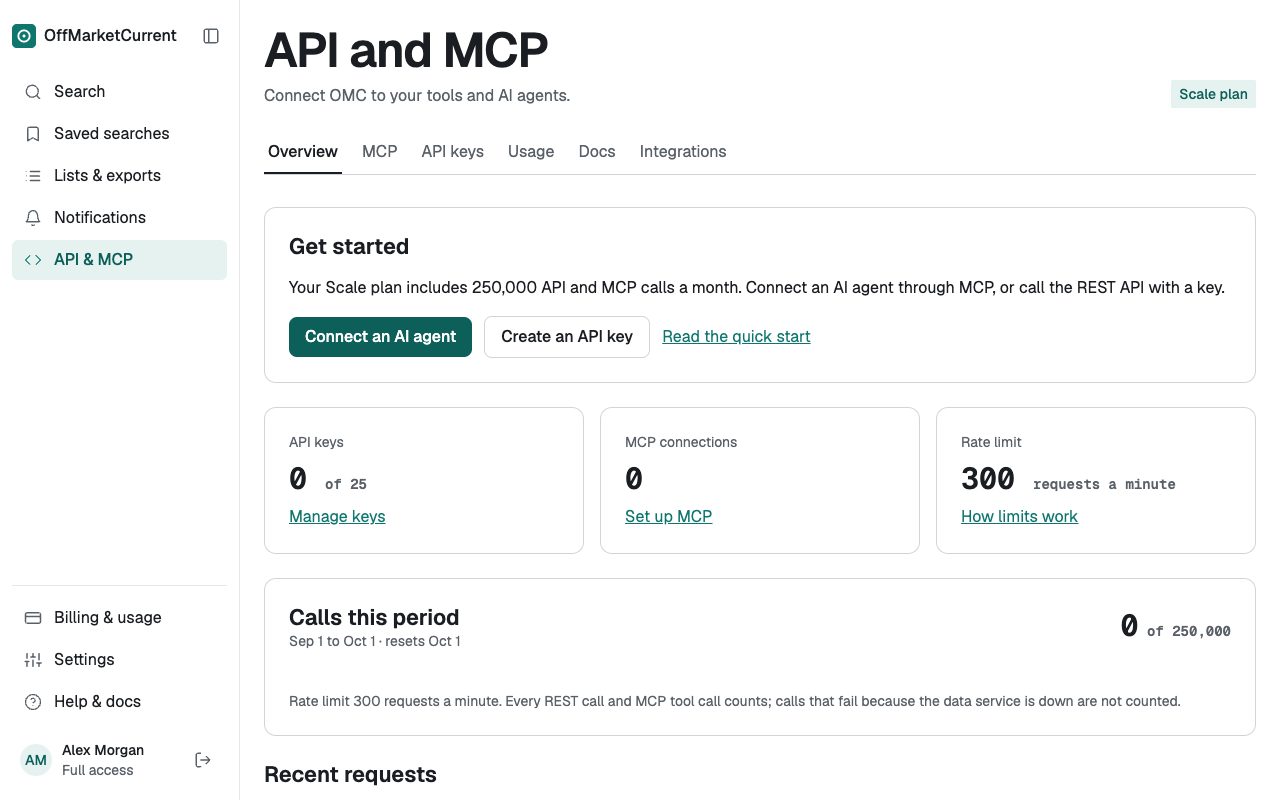
Screenshot: API & MCP: Overview with the plan chip and tabs 2Create an API key
On “API keys”, choose “Create API key →”. Enter a “Name”, tick the scopes “Search” and “Property detail”, pick an “Expiry”, and choose “Create key”.
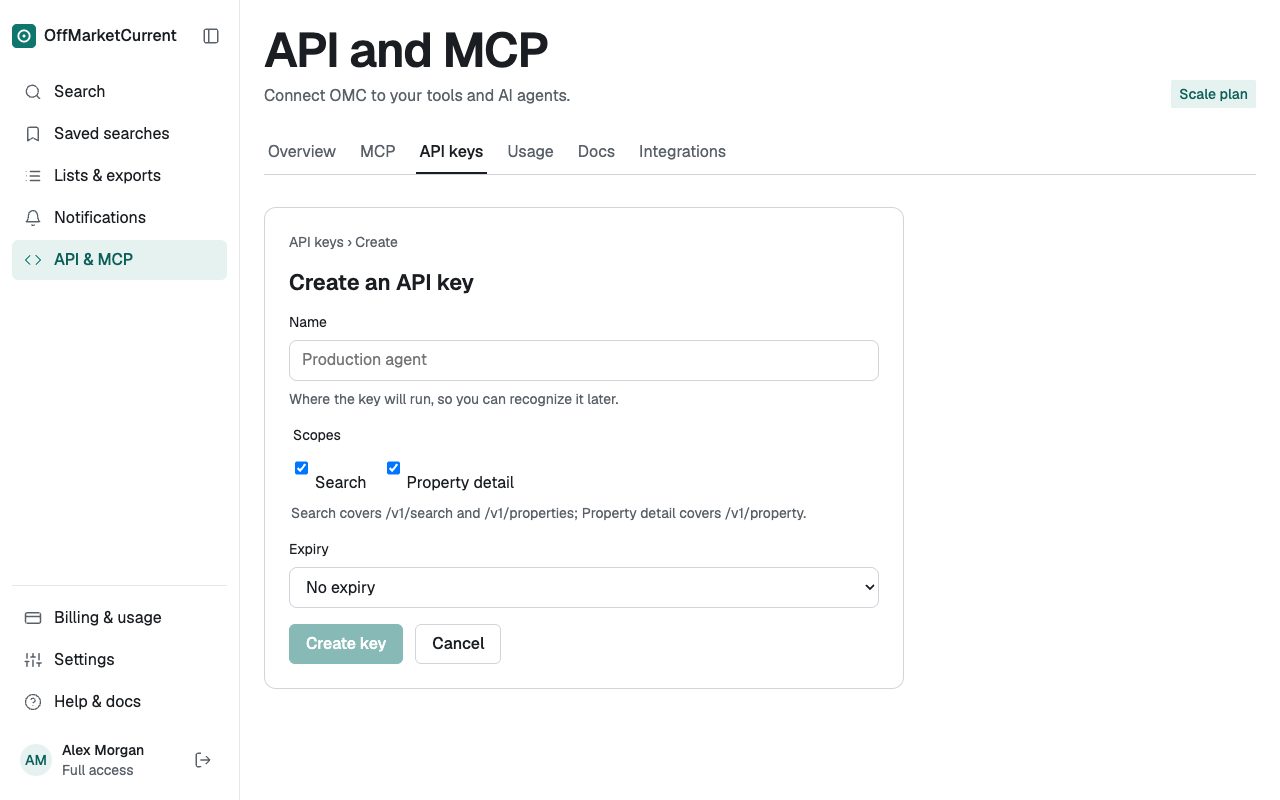
Screenshot: API keys: name, scopes, and expiry 3Save your API key
Copy your key from “Copy your API key”; it is shown once. Tick “I saved this key somewhere safe”, optionally choose “Send a test request”, then choose “Done”.
4Use the API
Send the key as a bearer token, for example: curl “https://app.offmarketcurrent.com/api/v1/search?signal=tax_delinquent&limit=5” -H “Authorization: Bearer $OMC_API_KEY”. The three GET endpoints are /api/v1/search, /api/v1/property/{parcel_id}, and /api/v1/properties?bbox=. API keys work on REST; MCP needs a connection key from the MCP tab. A wrong kind returns wrong_key_kind. Send next_cursor unchanged to read the next search page; cursor_expired means the data changed, so restart without a cursor.
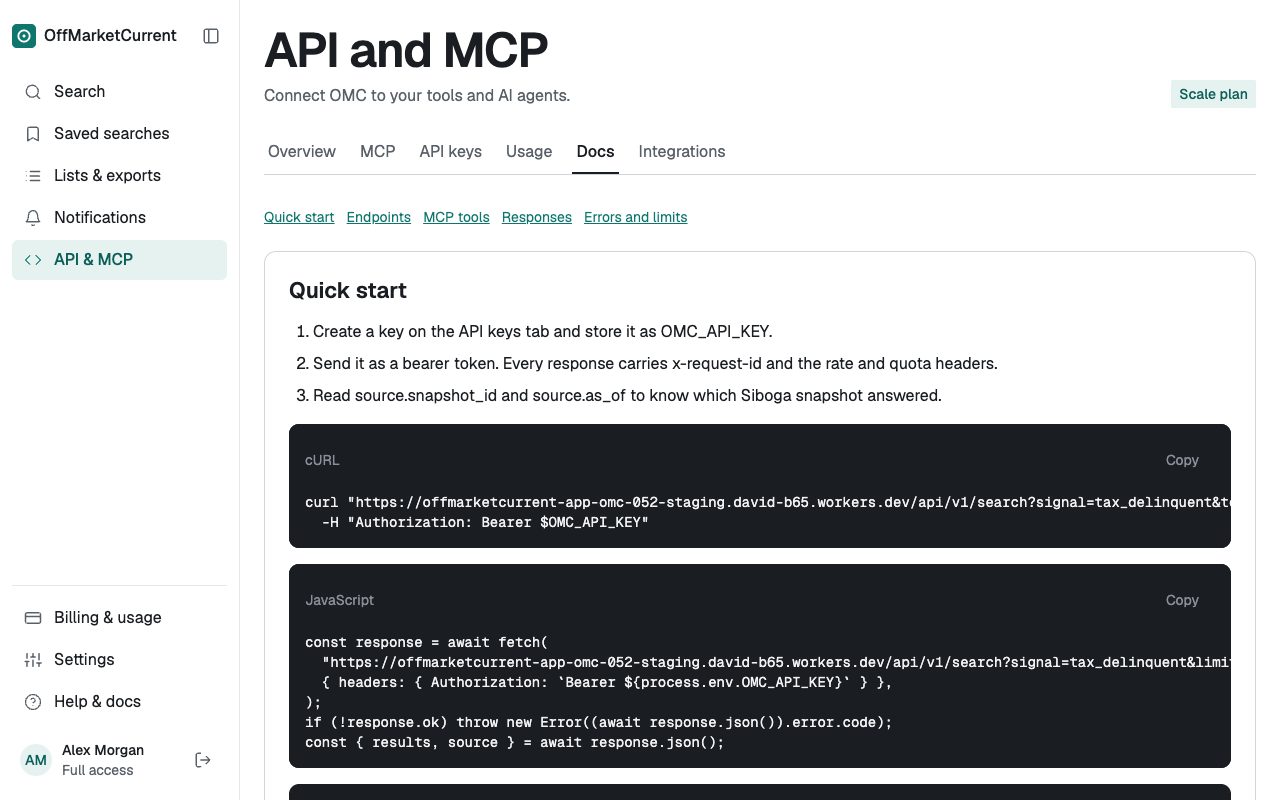
Screenshot: API & MCP, Docs: quick start and endpoints 5Understand rate limits
Scale allows 250,000 calls a month under fair use, 300 requests a minute, and 25 keys. Pro allows 10,000 calls a month, 30 requests a minute, and 3 keys. REST and MCP calls share the total.
6Monitor and rotate keys
The “Usage” tab shows “Calls this period” and a request log. On “API keys”, choose “Rotate” to reset a key: you get a new secret with a 1 hour, 24 hour, or 7 day overlap. Rotation needs one free key slot because both keys stay active during that time; revoke an unused key first if the limit is reached. Choose “Revoke” to stop a key at once.
7Connect your tools
Connect a CRM, a spreadsheet script, or an automation service with an API key, since any tool that can send a bearer token can read your leads. You can also export a CSV and import it.
Errors carry a code and a request ID. The Docs tab lists every code under “Errors and limits”.
Still stuck?
A person can look at your account.