
Get started with your first search
Accept your invitation, sign in, answer three questions, and run your first search.
1Open your invitation link
Open the invitation link in your email. The link works only for the address that received it.
2Sign in or get a link
On the sign-in page, choose “Continue with Google”, or type your email and choose “Email me a sign-in link”. The emailed link works once and expires after 15 minutes.
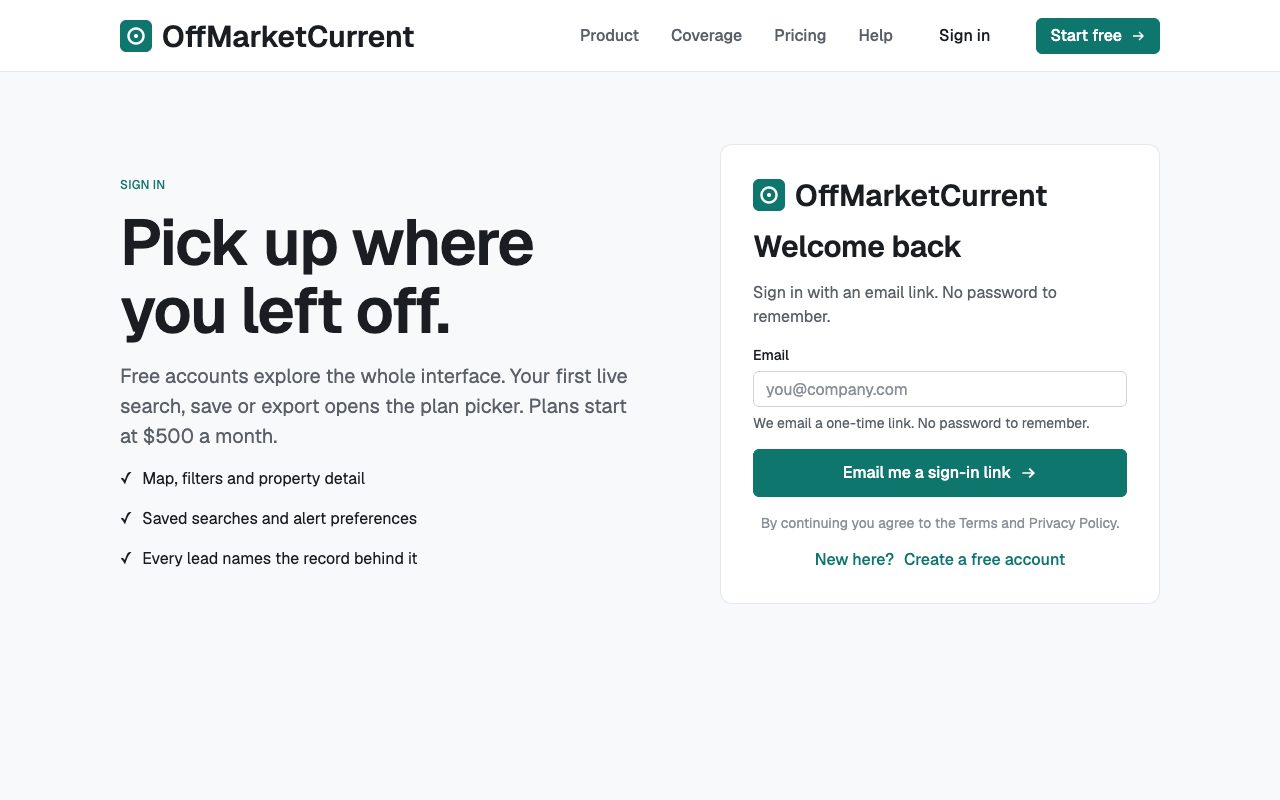
Screenshot: Sign-in: Continue with Google, or an emailed one-time link 3Accept your invitation
On the “Accept your invitation” screen, check that the email shown is the invited one. Then choose “Accept invitation”.
4Answer three questions
Answer three questions: “What best describes you?”, “Which market do you work?”, and “What brought you here?”. Choose “Next” after each one.
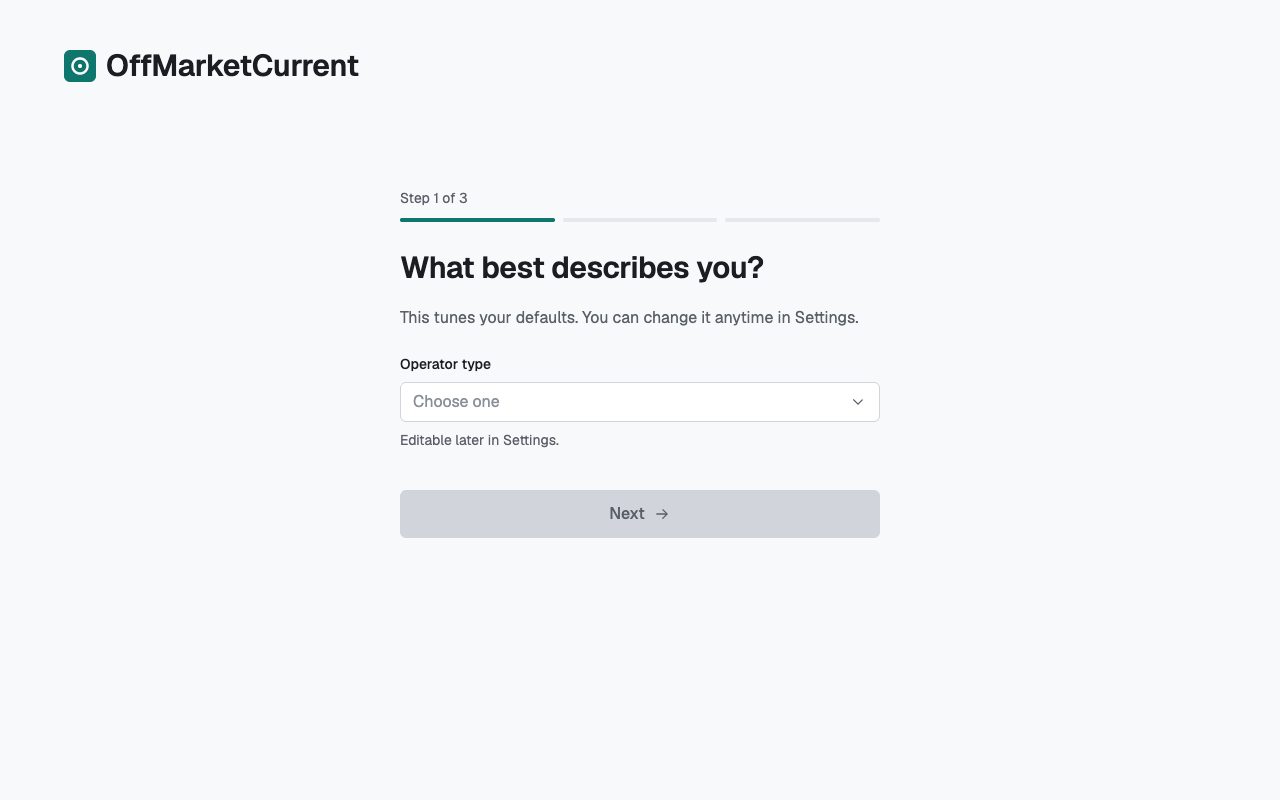
Screenshot: Onboarding: three short questions, one per screen 5Start your first search
On the last screen, choose “Do your first search”. Your answers are saved, and you can change them any time under Settings.
6Explore the search screen
You land on Search: a map with a list of leads beside it. Use the Place box at the top to pick a town, then select a lead to see the record behind it.
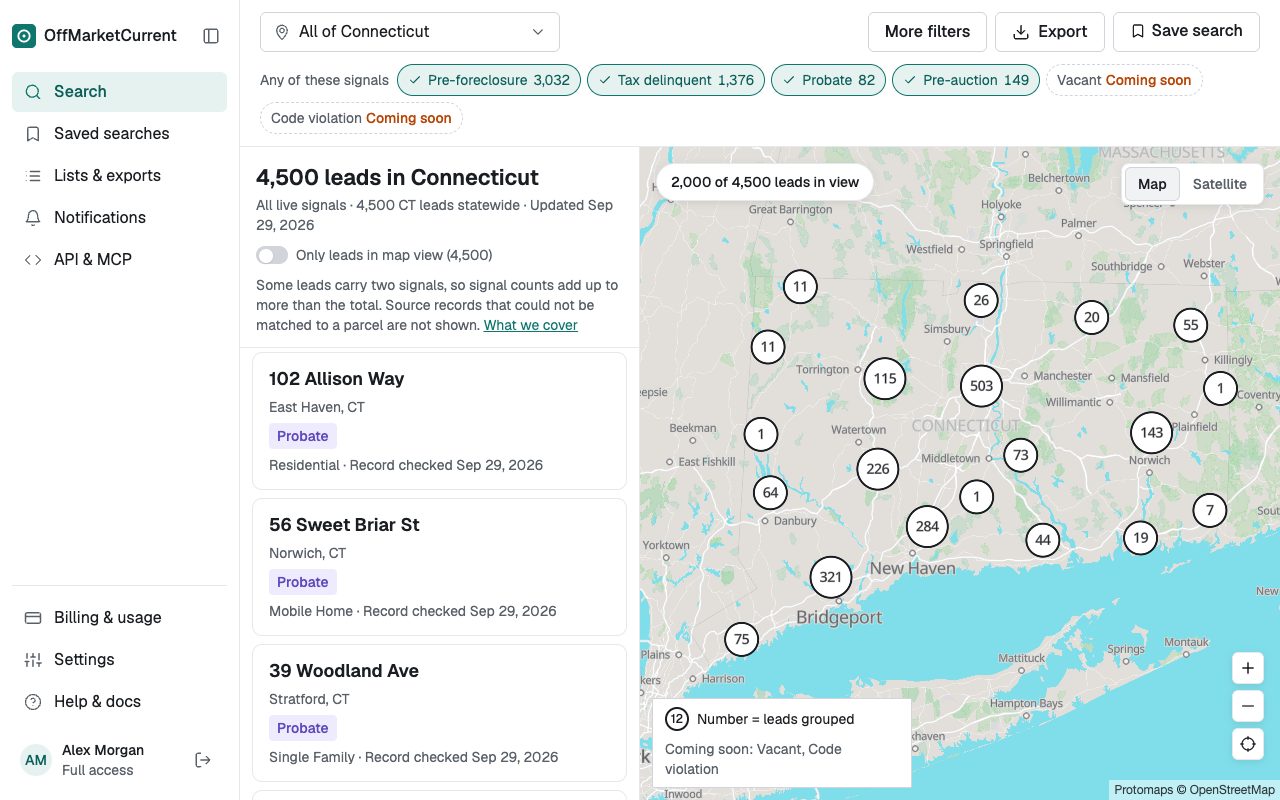
Screenshot: Search: the Place box, the signal row, the lead list, and the map
Creating an account is free. A free account sees 3 leads per search; a paid plan unlocks every lead and CSV exports. See the Billing and plans guide.
On a phone, the left rail becomes a bar along the bottom of the screen.
Still stuck?
A person can look at your account.